There's a reason that Earl Woods taught Tiger how to play the game
from the green back.
I admit, at first, even I didn't think it was necessary. I thought I
could skip ahead and learn the full swing without building a solid
foundation in putting, chipping and pitching.
All this belief did was cost me MORE time than had I started
at the beginning just like The GOAT did. Over the past 20 years of
doing golf clinics, my observations of thousands of students was
always the same - those who started the slowest at the beginning
always got there the fasted in the end.
In other words, the students I observed being diligent with the
small things like grip, setup, posture and the basics of controlling
the clubface on day 1 were always WAY further ahead of those who
didn't on day 1.
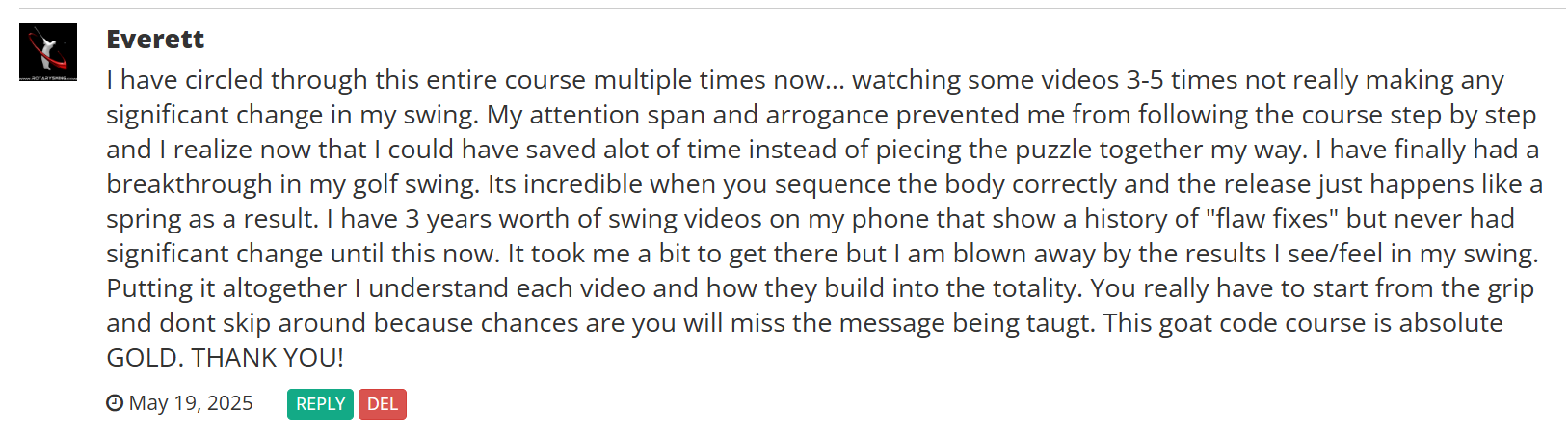
In the post above by member Everett, he said it all in a nutshell.
Go through the program exactly the way it is laid out and you
will have extraordinary results. Skip to the end and you'll end up
with the exact same swing you started with.
This is a system, not a grouping of random tips.
There is a method to my madness deeply rooted in learning psychology
and over 30 years of teaching hundreds of thousands of golfers
just like you how to hit a ball with a stick. Slow down and you'll
get there faster...